Order management
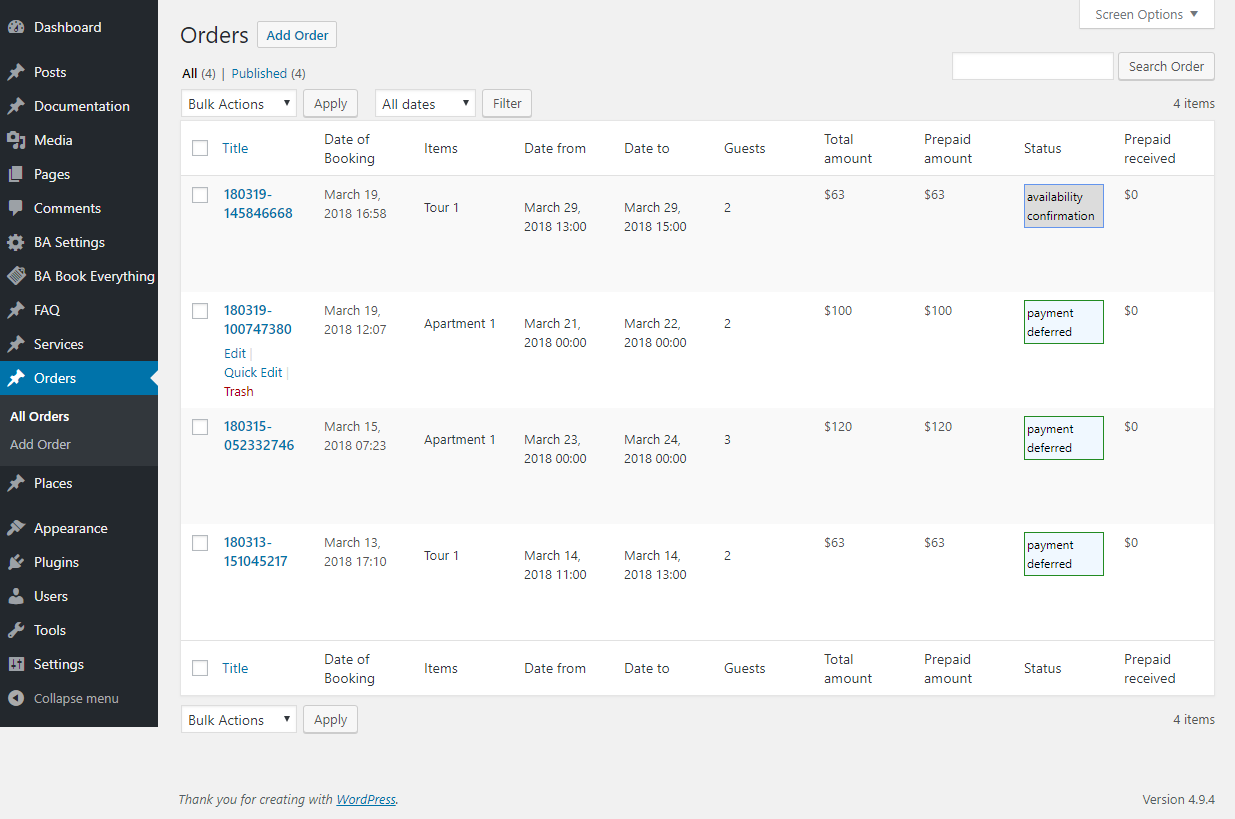
Orders are displayed on admin dashboard as Order post type in the Orders admin menu. You can see order details and payment statuses or edit them as usual WordPress posts.
- The Orders page displays all created bookings. Here the administrator can view each order’s details — booking date, booked item, period, number of guests, payment amounts, and status (e.g., payment deferred or availability confirmation).
- This page serves as the central hub for managing all bookings, allowing you to edit, filter, or delete orders when needed.
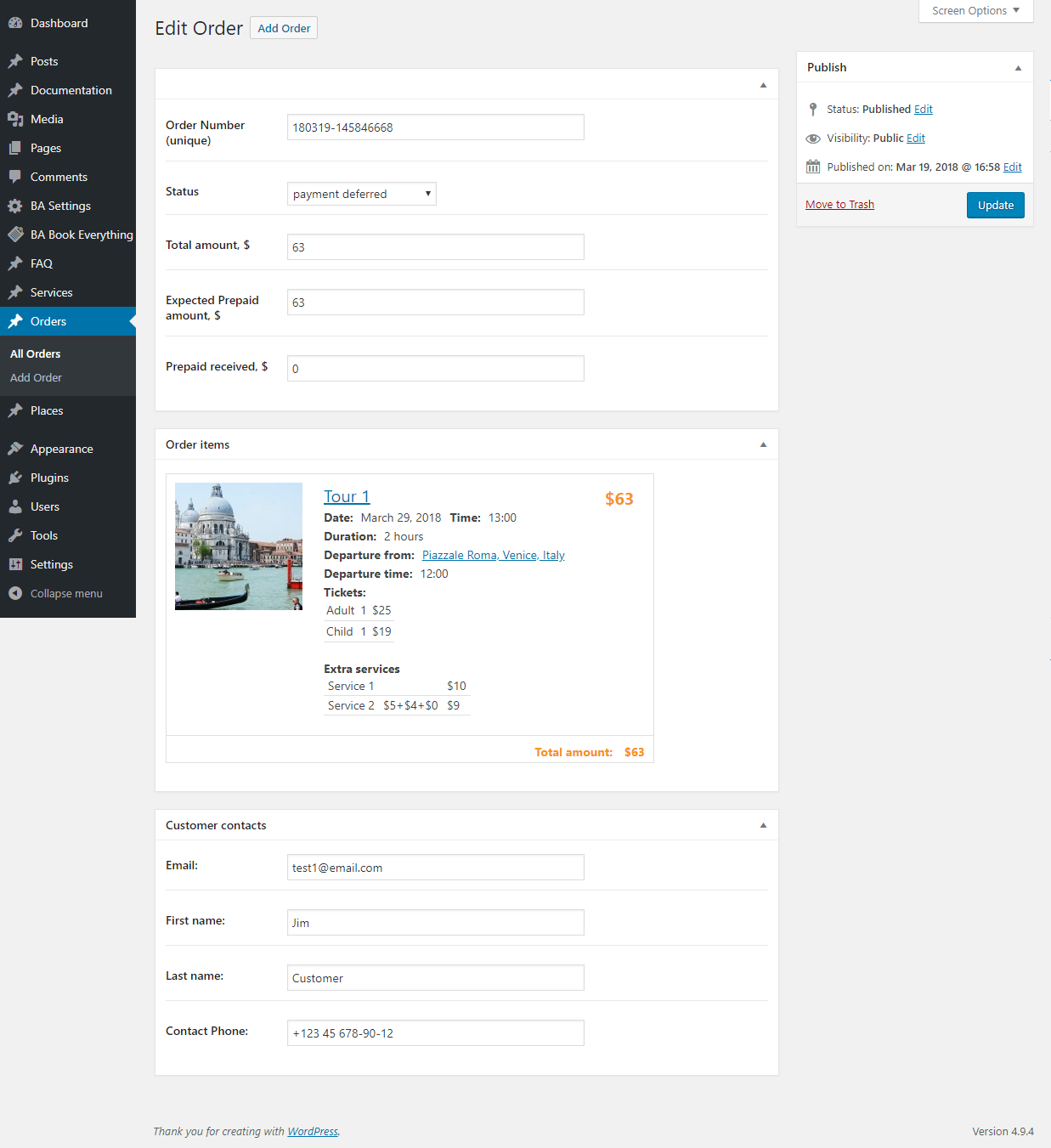
The Edit Order page allows you to view and modify the details of a specific booking. It displays the unique order number, booking status, total and prepaid amounts.
Below, you can see detailed information about the booked item - date, time, departure location, tickets, and extra services. At the bottom, customer contact details (name, e-mail, phone) are shown, making it easy to reach the client if needed.
Order status management
The BA Book Everything plugin provides following order statuses by default:
- draft - the order has just been created at the beginning of the checkout process
- av_confirmation - order is waiting for availability confirmation by site administrator
- customer_confirmation - order is waiting for confirmation by customer
- not_available - status for orders canceled at previous steps
- payment_deferred - order has been accepted, but payment is deferred and will be done later
- payment_expected - order has been accepted and is awaiting online payment from the customer
- payment_processing - payment in progress
- payment_authorized - payment authorized
- payment_received - payment received
- canceled - order has been canceled
- completed - the order is completed and fulfilled
During the booking process, order statuses change automatically as follows:
On the checkout from draft to:- av_confirmation if the order requires manual approval before payment
- payment_processing if the payment process is started
- payment_deferred if "Pay later" is chosen
- customer_confirmation if the order requires approval changes from customer
- payment_deferred if the order is confirmed by administrator and only "Pay later" option is available
- payment_expected if the order is confirmed by administrator and is ready for payment
- not_available if the order is canceled by administrator
- payment_deferred if the order is confirmed by customer and only "Pay later" option is available
- payment_expected if the order is confirmed by customer and is ready for payment
- canceled if the order is canceled by customer
- payment_processing if the payment process is started
- payment_received if the payment was successfully received
- draft if the payment was completed with an error
Backend bookings, editing/cancellation orders, extra charge, full and partial refund, iCal synchronization features are available with BABE Backoffice add-on
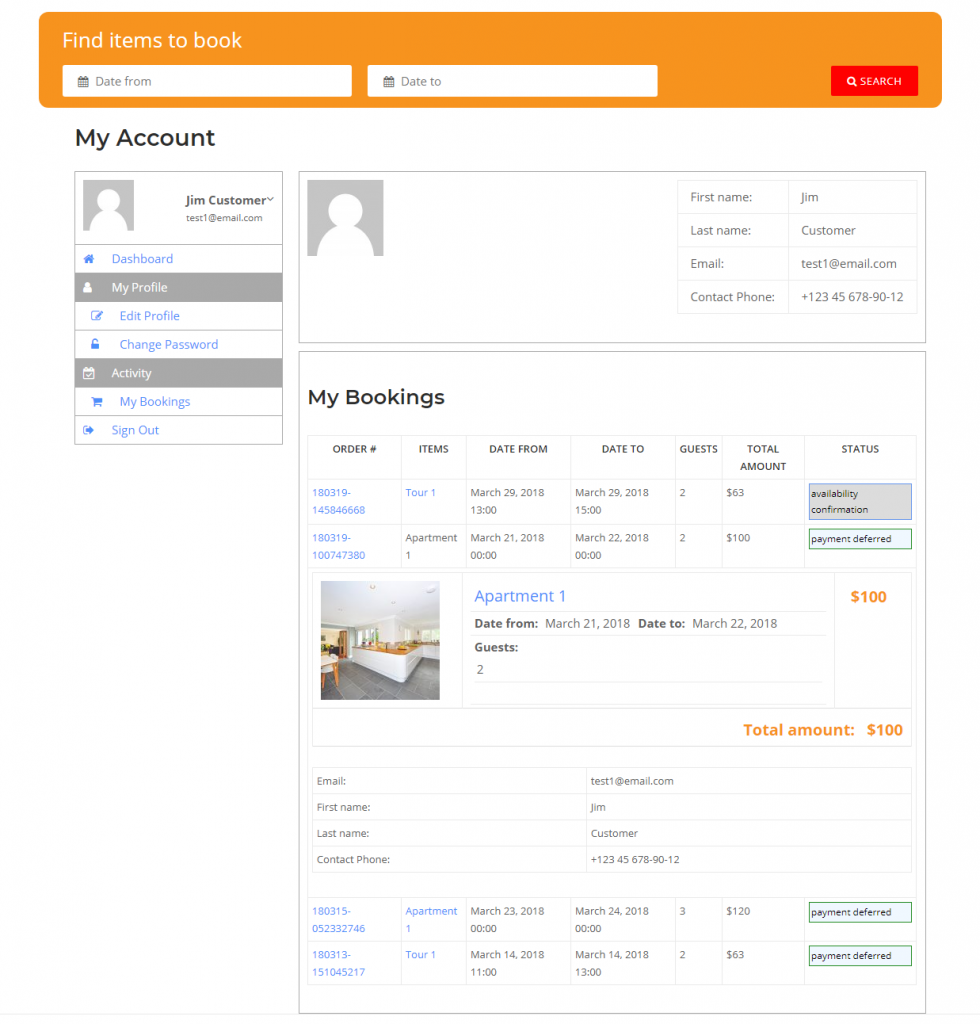
Customers can see order details and manage orders on the My Account page
- My Account page allows site users to view all their active and past bookings.
- It lists each order with its dates, number of guests, payment amount, and current status (e.g., availability confirmation or payment deferred).
- Users can also see full booking details and their contact information, making it easy to track and manage all reservations in one place.
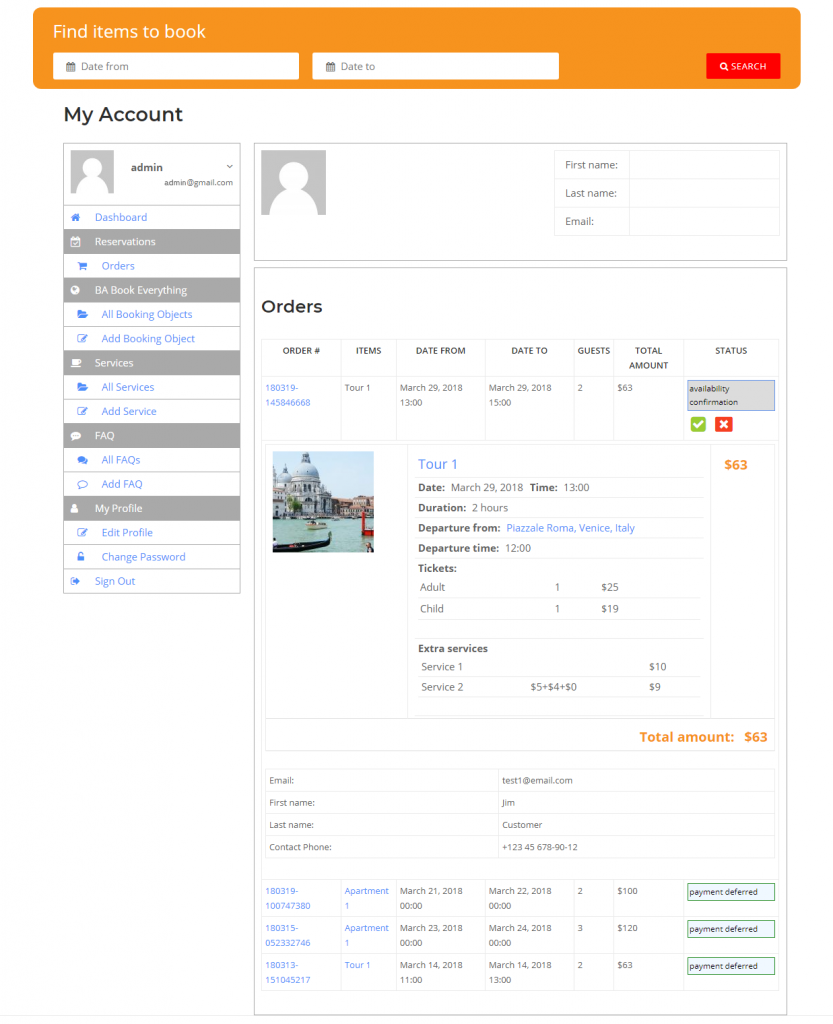
Admin users can also use My Account page to manage orders
- My Account page shows all bookings created by the administrator or users. It allows viewing each order’s details - dates, number of guests, total amount, and status (e.g., availability confirmation or payment deferred).
- The administrator can also approve or cancel bookings directly from this page, providing a quick and efficient way to manage all orders.