Booking rules
Booking rules define all the basic settings that will be available to the booking objects, as well as the booking mode. They are required for use in booking categories.
Note
The BA Book Everything plugin requires at least one configured booking rule for its work. Therefore, the plugin is bundled with initial rules, which you could use for easy start.
Navigate to Ba Book Everything → Booking Rules admin menu in order to create or edit booking rules depending on your business.
/wp-admin/edit.php?post_type=to_book&page=booking_rules
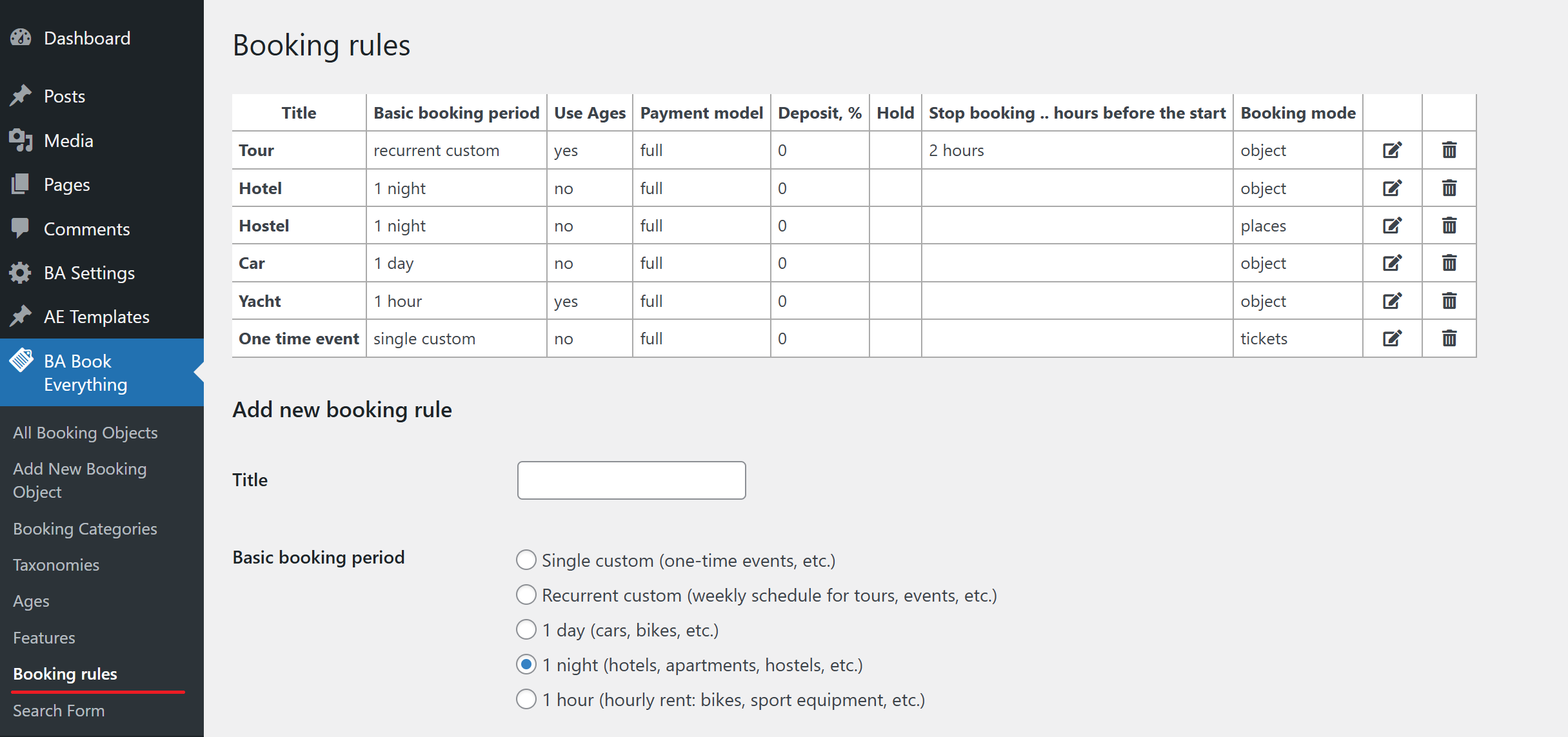
Create or edit a booking rule
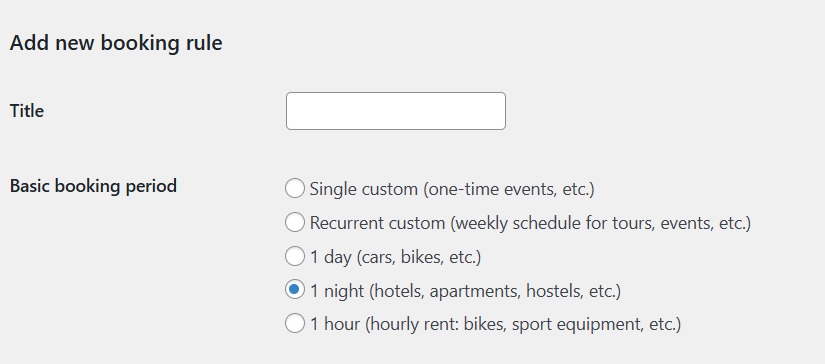
- Title - title of the booking rule
- Basic booking period - the base booking period determines how time is taken into account when calculating the booking total amount. Possible options:
- Single custom - used for one-time events (fixed date), time is not taken into account, the indicated cost per participant is used
- Recurrent custom - weekly schedule for tours, events, etc., the indicated cost per participant is used. In the booking form, the customer will select the date and time of the tour/event from the available schedule
- 1 day - used for car rental, bikes, etc., the cost is multiplied by the number of days (one day is 24 hours). In the booking form, the customer will select the dates and times for the start and end of the booking
- 1 night - used for room rental, apartments, hostels, etc., the cost is multiplied by the number of nights. In the booking form, the customer will select dates for the start and end of the booking
- 1 hour - used for hourly rent like yachts, bikes, sport equipment, etc., the cost is multiplied by the number of hours. In the booking form, the customer will select the date and times for the start and end of the booking
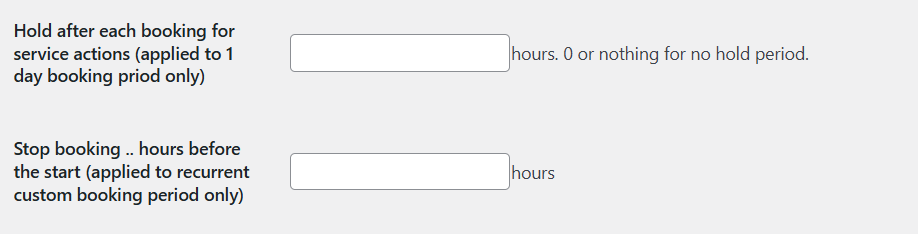
- Hold after each booking for service actions (applied to 1 day booking period only)
- Set the number of hours to hold after each booking for service actions like cleaning etc. Applies only to daily bookings. Enter 0 or leave blank for no hold period.
- Stop booking .. hours before the start (applied to recurrent custom booking period only)
- Determines how many hours before the start of the tour/event the possibility of booking ends. Applies only to recurring custom booking periods.
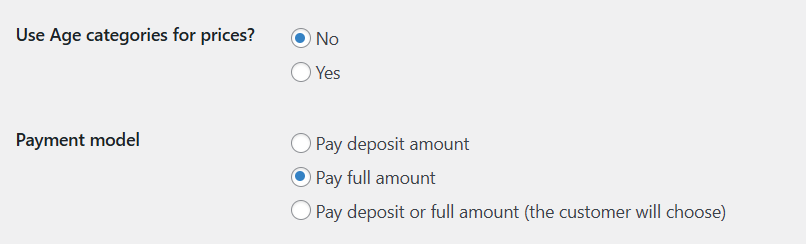
- Use Age categories for prices?
- Enables/disables using age categories for pricing (e.g., adult/child rates).
- Payment model
- Pay deposit amount - customer pays deposit only
- Pay full amount - customer pays the full amount
- Pay deposit or full amount - customer chooses between deposit or full payment
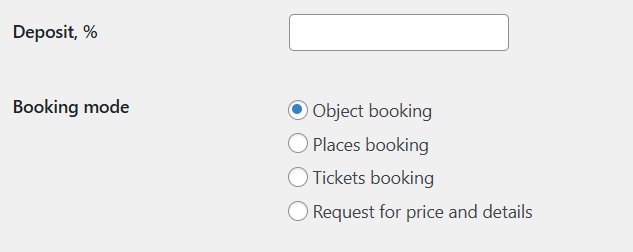
- Deposit, % - sets the percentage of deposit required from the customer
- Booking mode - determines how the number of guests is taken into account when calculating the cost of a reservation:
- Object booking - booking of the entire object (e.g., room, car, yacht), the booking price is determined for the entire property
- Places booking - booking by places (e.g., seats), the booking cost is determined per guest
- Tickets booking - ticket-based booking (tours, events), the booking cost is determined per guest
- Request for price and details - this option replaces the automatic booking form with a booking request form, which sends the customer's request to the administrator's email (no instant booking)