BABE Currency switcher add-on
Currency switcher widget for BA Book Everything plugin
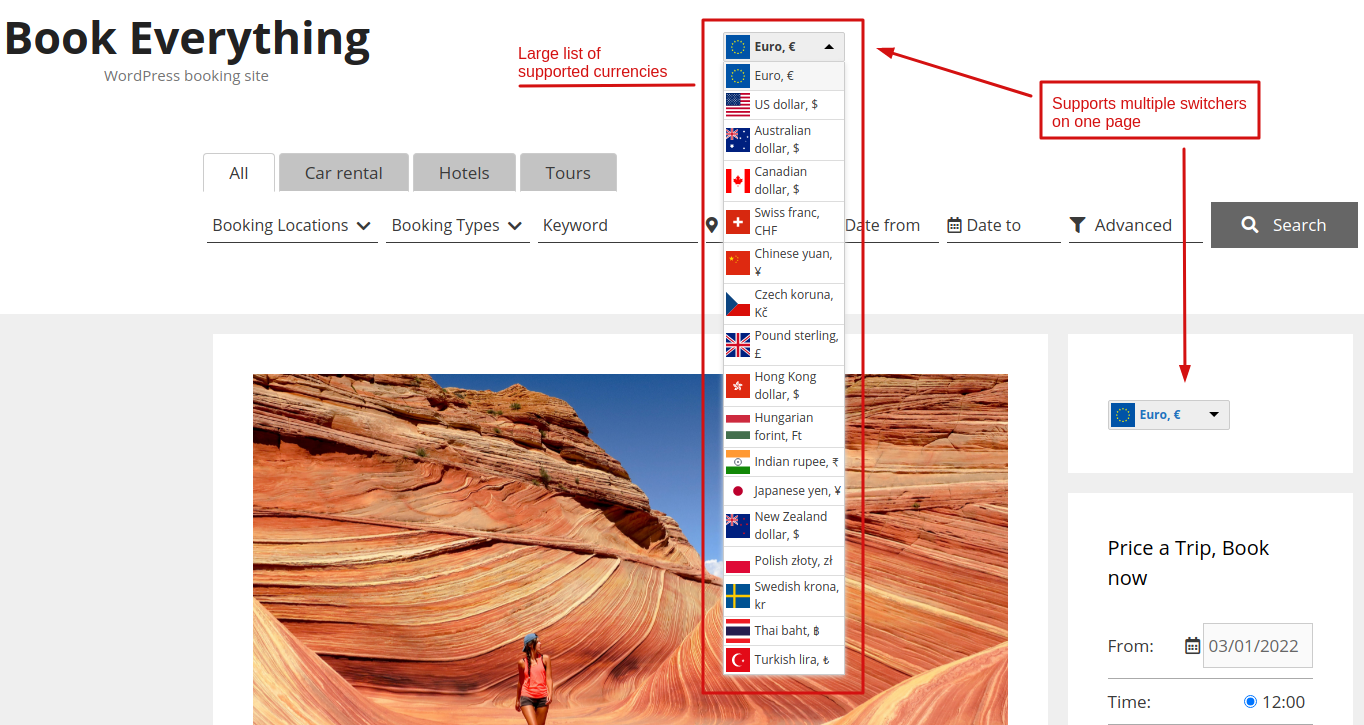
BABE Currency switcher add-on extends the BA Book Everything plugin with the currency switcher widget, so your customers can see prices and make bookings using their currency.
Supported currencies: USD, JPY, BGN, CZK, DKK, GBP, HUF, PLN, RON, SEK, CHF, ISK, NOK, HRK, RUB, TRY, AUD, BRL, CAD, CNY, HKD, IDR, ILS, INR, KRW, MXN, MYR, NZD, PHP, SGD, THB, ZAR and more.
It’s possible to use multiple currency switcher widgets on one page.
BABE Currency switcher requires BA Book Everything 1.8.0 or higher and PHP 8.1 or higher.
The product is subject to a yearly license for support and automatic updates.
Installation
- Upload the
babe-currency-switcherfolder to the/wp-content/plugins/directory. - Activate the BABE Currency switcher plugin through the Plugins menu in WordPress.
License activation
To activate the license key on your site:
- Go to the BA Settings → BABE Currency switcher license admin menu.
- Add the license key and press the Save changes button.
- Click the Activate license button.
After this the plugin can be updated from the Plugins admin menu like any other WordPress plugin.
After activation
Navigate to the BA Book Everything → Currency switcher admin menu to make settings:
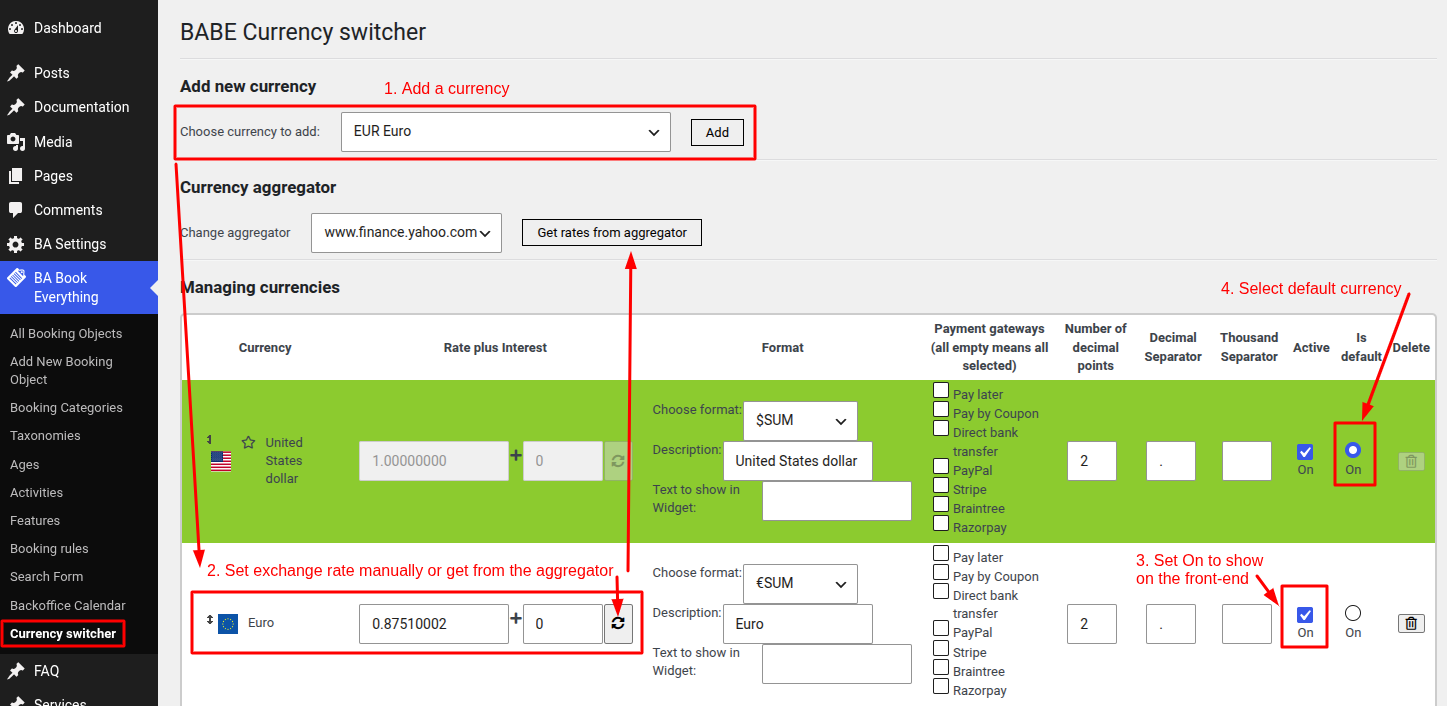
Additional settings:
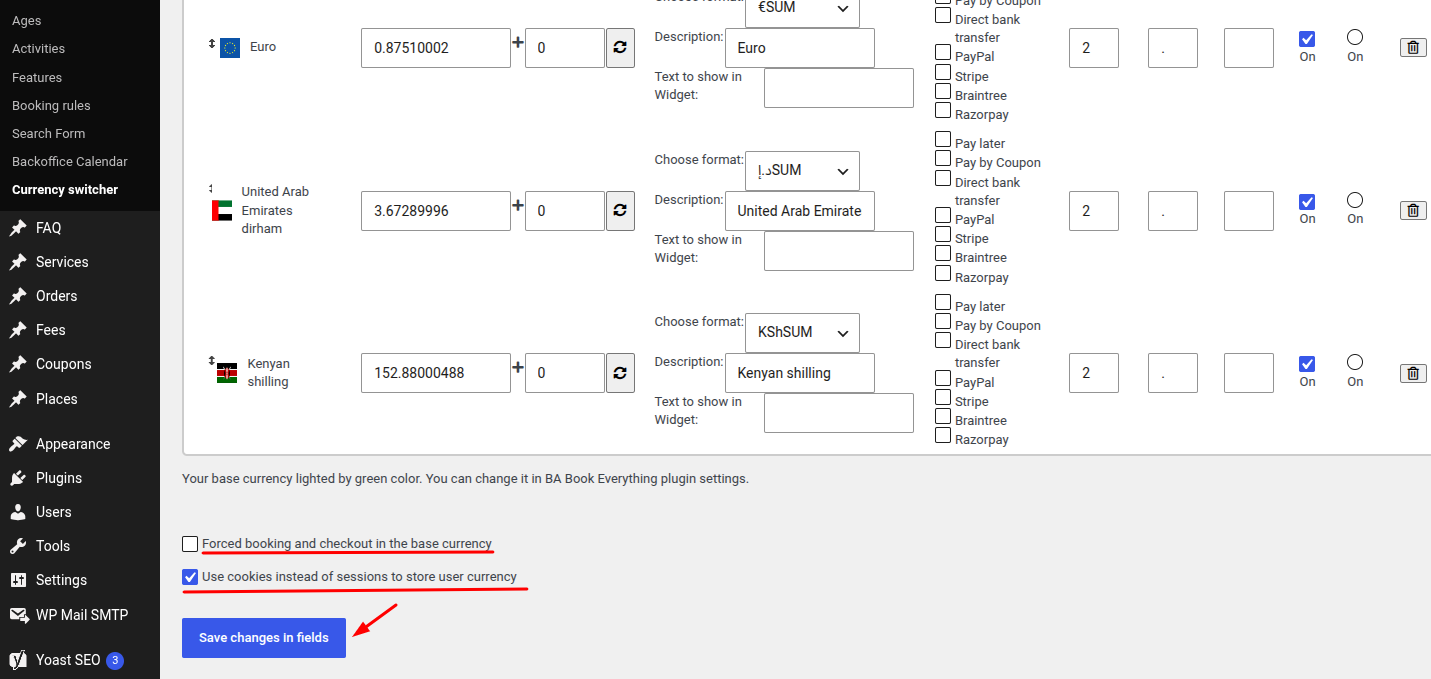
- Activate payment gateways on the checkout depending on currency
- Force booking and checkout in the base currency
- Use cookies instead of sessions to store user currency - this may fix some issues with website loading speed
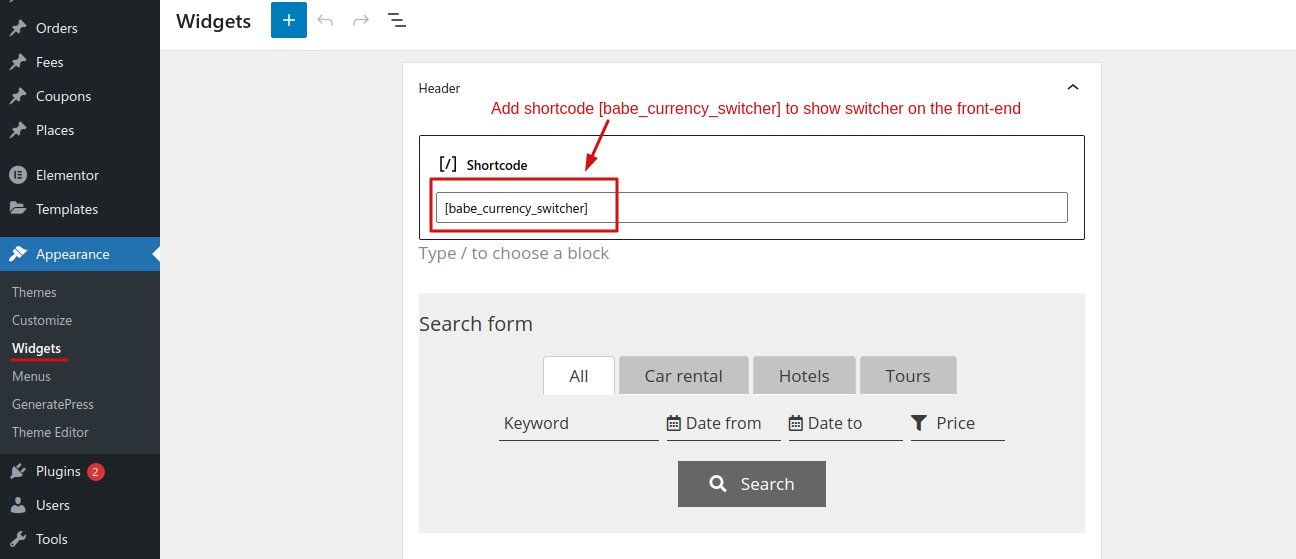
Add shortcode to the needed widget areas to show the widget on the front-end:
- Copy and paste this shortcode into your widget area, posts or pages
[babe_currency_switcher]
- Paste the PHP code into your theme’s file
echo do_shortcode('[babe_currency_switcher]');
The front-end widget is only displayed if two or more currencies have been activated. If only one currency is active, the switcher will be disabled and the site will look as a site with one currency.
It allows you to set back-end prices in main currency (say, USD $), show prices and process payments on the front-end in local currency, and update all prices easily on the back-end by changing the rate.