Rewards and Loyalty points
The Rewards feature offers two ways to reward customers after they complete a booking:
- send a gift discount code to the customer for future bookings when an order is completed
- award loyalty points to customers personal balance that can be used later to pay for a new booking. Loyalty points are also part of the referral system
Settings are located in the BA Settings → Rewards admin menu.
Gift discount codes
/wp-admin/admin.php?page=babe-settings
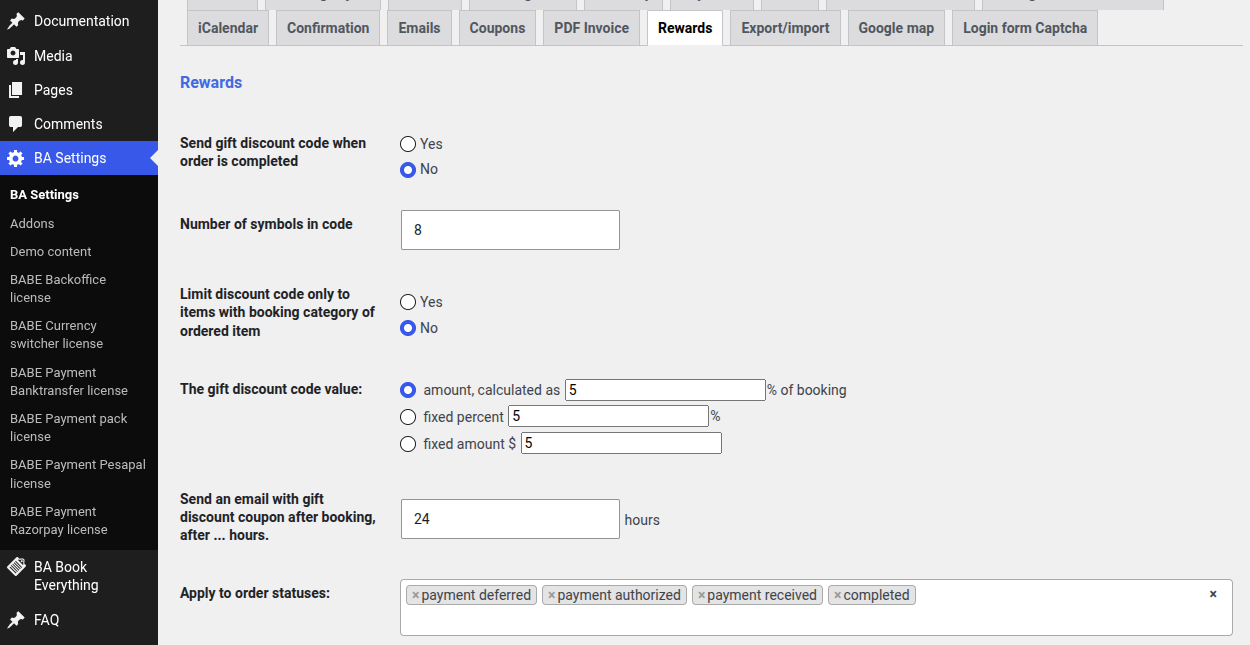
- Send gift discount code when order is completed — enable this type of reward
- Number of symbols in code — default is 8
- Limit discount code only to items with booking category of ordered item — restrict the gift coupon to the same booking category as the purchased item
- The gift discount code value — one of the:
- an amount, calculated as percents from the current booking
- fixed percent, will be applied to a new purchase
- a fixed amount
- Send an email with gift discount coupon after booking, after … hours — delay before the reward e-mail is sent
- Apply to order statuses — select the order statuses that should trigger sending the gift coupon
note
The gift discount code is a regular coupon, so it follows the same coupon rules and can be tracked in the Coupons admin menu.
Loyalty points
/wp-admin/admin.php?page=babe-settings
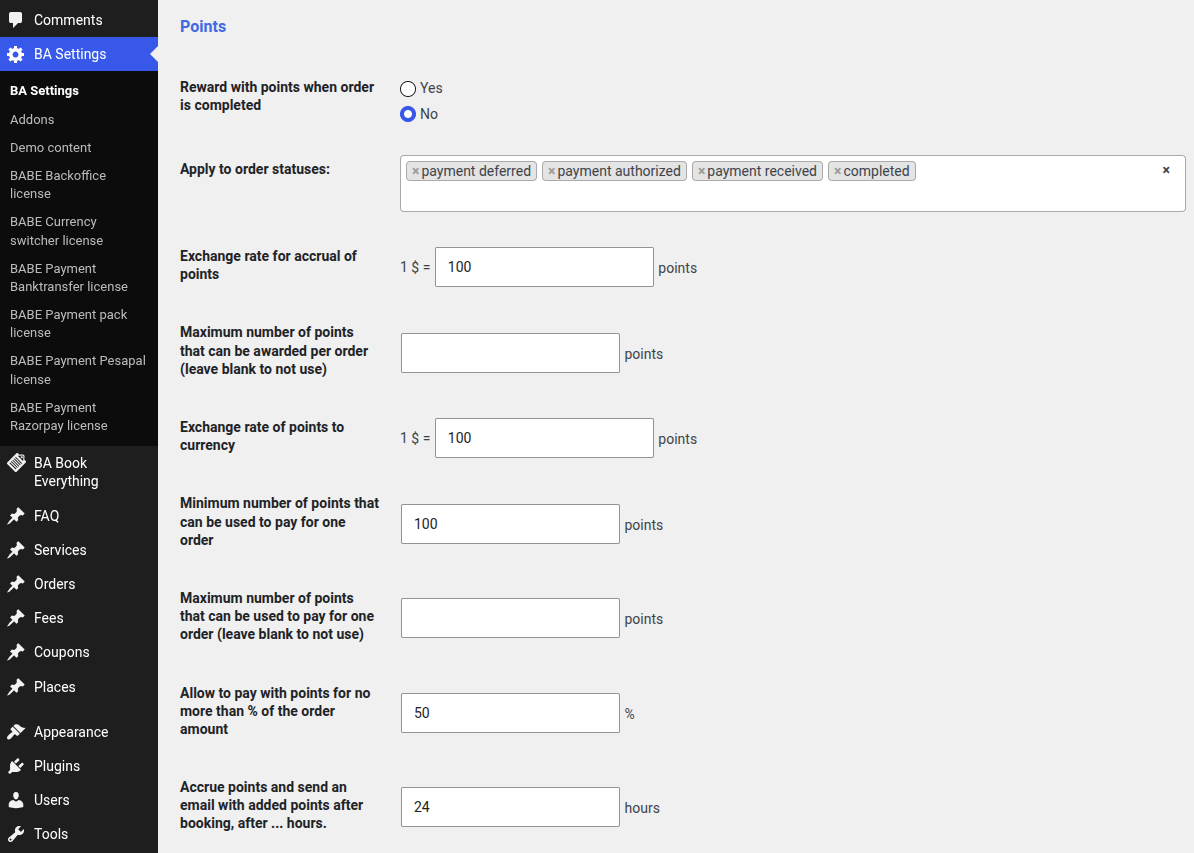
How points are earned
- Reward with points when order is completed — enable points accrual
- Apply to order statuses — which order statuses trigger accrual (e.g. payment received, completed)
- Exchange rate for accrual of points — how many points are granted per currency unit spent, e.g. 1 USD = 100 points. Points are earned on the amount actually paid (after coupons and any redeemed points)
- Maximum number of points that can be awarded per order — optional limit per order (leave blank for no limit)
- Accrue points and send an email with added points after booking, after … hours — a waiting period before points are granted.
0awards immediately; a positive value defers accrual (processed by the hourly cron) so points aren't paid out before a booking is settled.
How points are spent
- Exchange rate of points to currency — value of a point when paying, e.g. 1 USD = 100 points (so 100 points discount 1 USD)
- Minimum number of points that can be used to pay for one order — threshold below which points cannot be used
- Maximum number of points that can be used to pay for one order — optional limit (leave blank for no limit)
- Allow to pay with points for no more than % of the order amount — limits the points discount to a share of the order total, so points can't cover the whole booking
How points work
- When an order reaches a qualifying status, points are earned as amount paid × accrual rate, limited by the per-order maximum if set. Accrual is immediate or deferred by the configured waiting period
- At checkout, a logged-in customer with enough balance sees a Redeem Points field. They can apply points up to the smallest of: their balance, the per-order maximum, and the "% of order amount" limit. The matching discount is applied and their balance is reduced; the redemption can be reverted before completing the order
- On the My Account page, customers see their current Reward Points balance, a Points column in the bookings table, and the points earned/redeemed on each order
- On the order admin page, the metabox shows the earned and redeemed points for that order (read-only)
- If an order is cancelled or refunded, points spent on it are returned to the customer's balance and any points awarded for it are deducted again.
Points balance
Each customer's points balance is stored on their user profile. Points are also awarded through the referral program