Order emails, statuses & routes
With the BABE Backoffice add-on you can manage all e-mail templates and customize how order statuses change and which e-mails they trigger.
Email templates
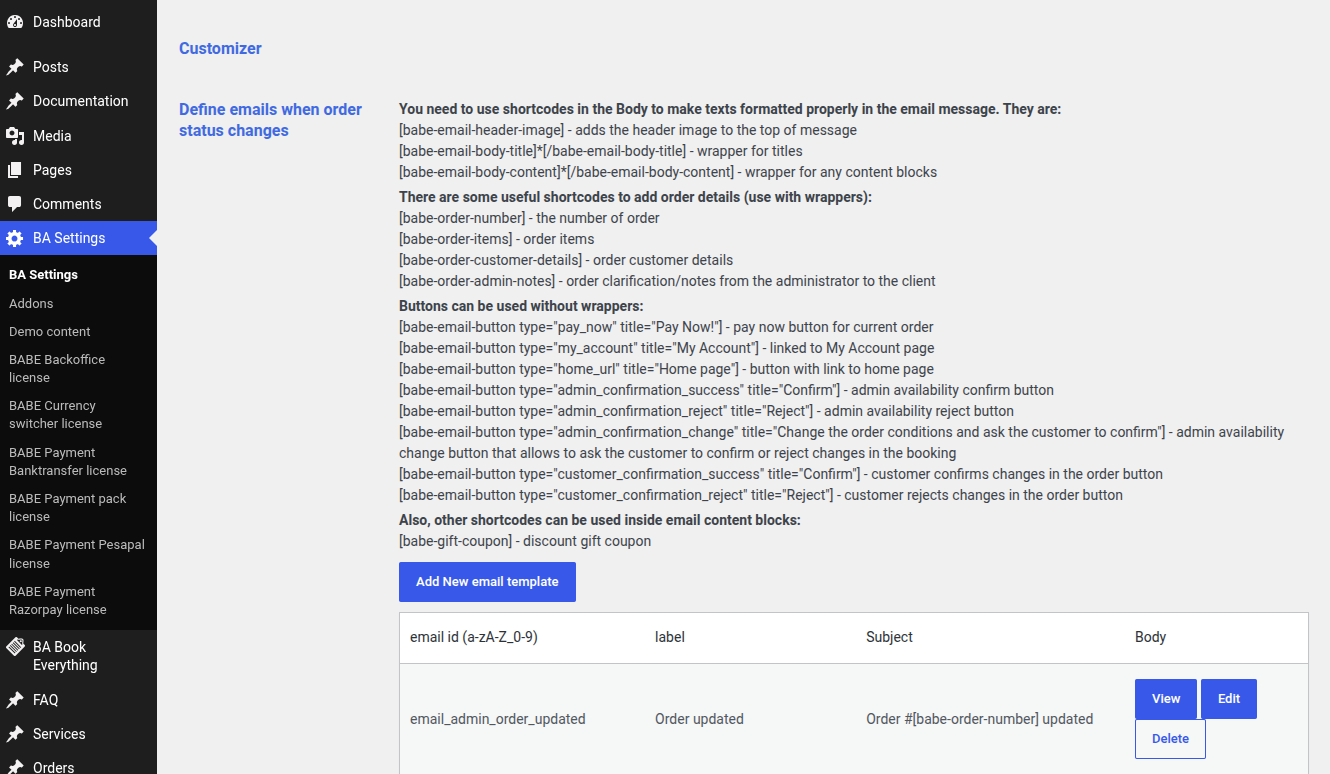
Go to the BA Settings → Emails admin menu to modify or add e-mail templates.
Under the Define emails when order status changes section there is a description of the predefined shortcodes you can use inside your e-mail content. For example, to add the booking details use the shortcode [babe-order-items].
Below this you can find the default e-mail templates, each identified by an email id field. You can view and edit any template as you like.
Order statuses, actions & routes
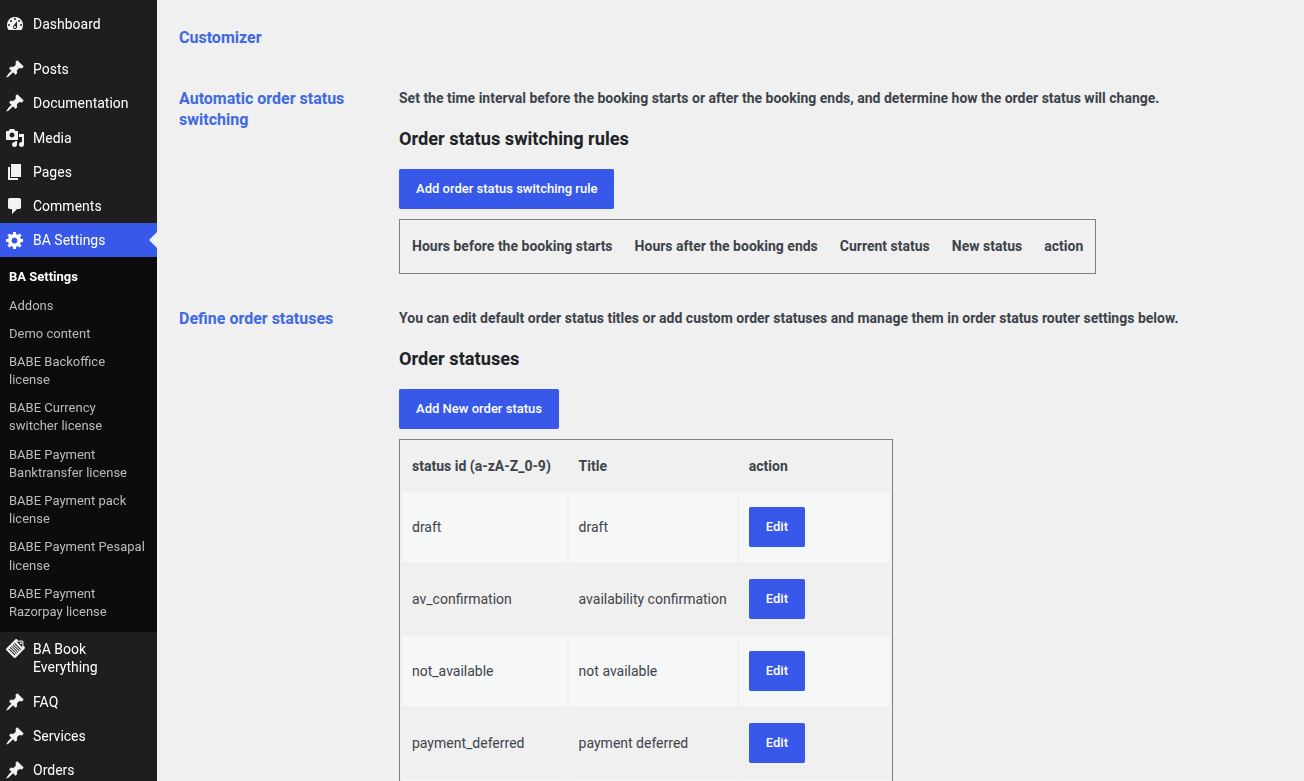
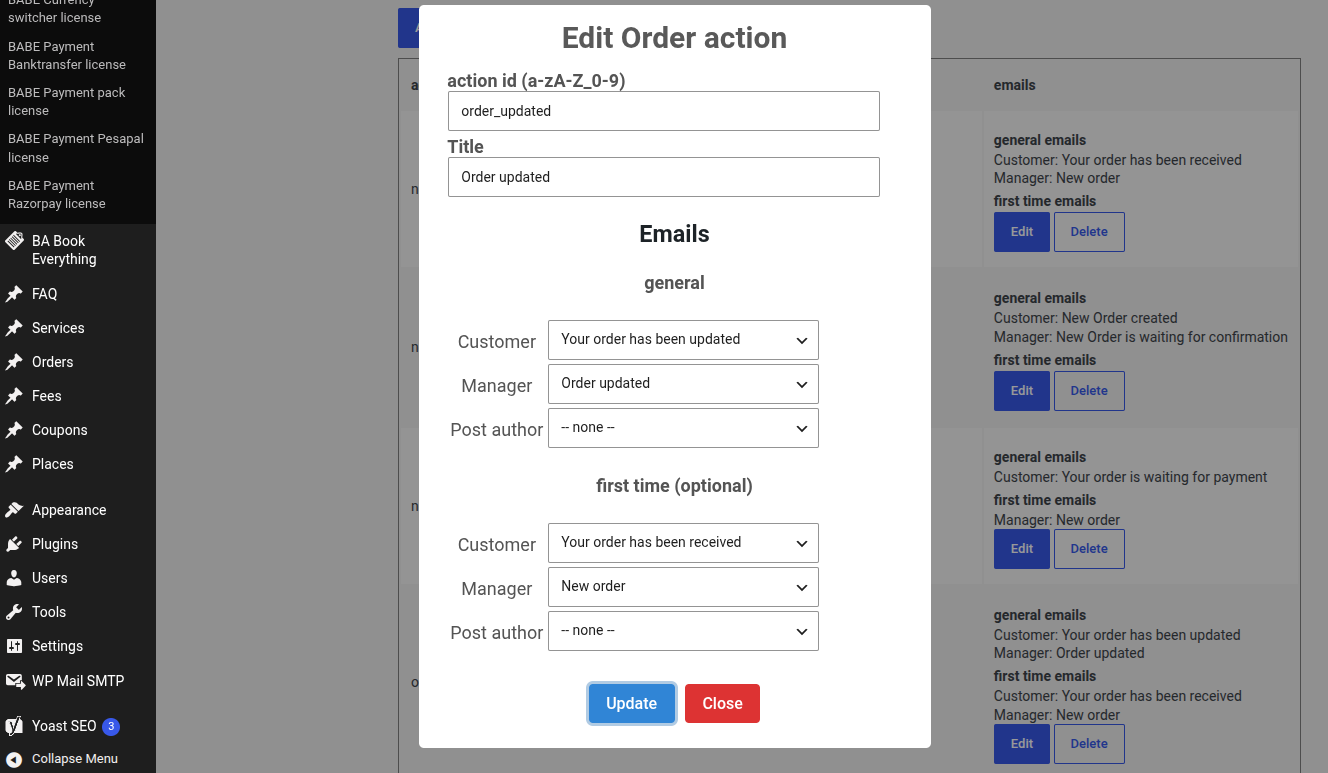
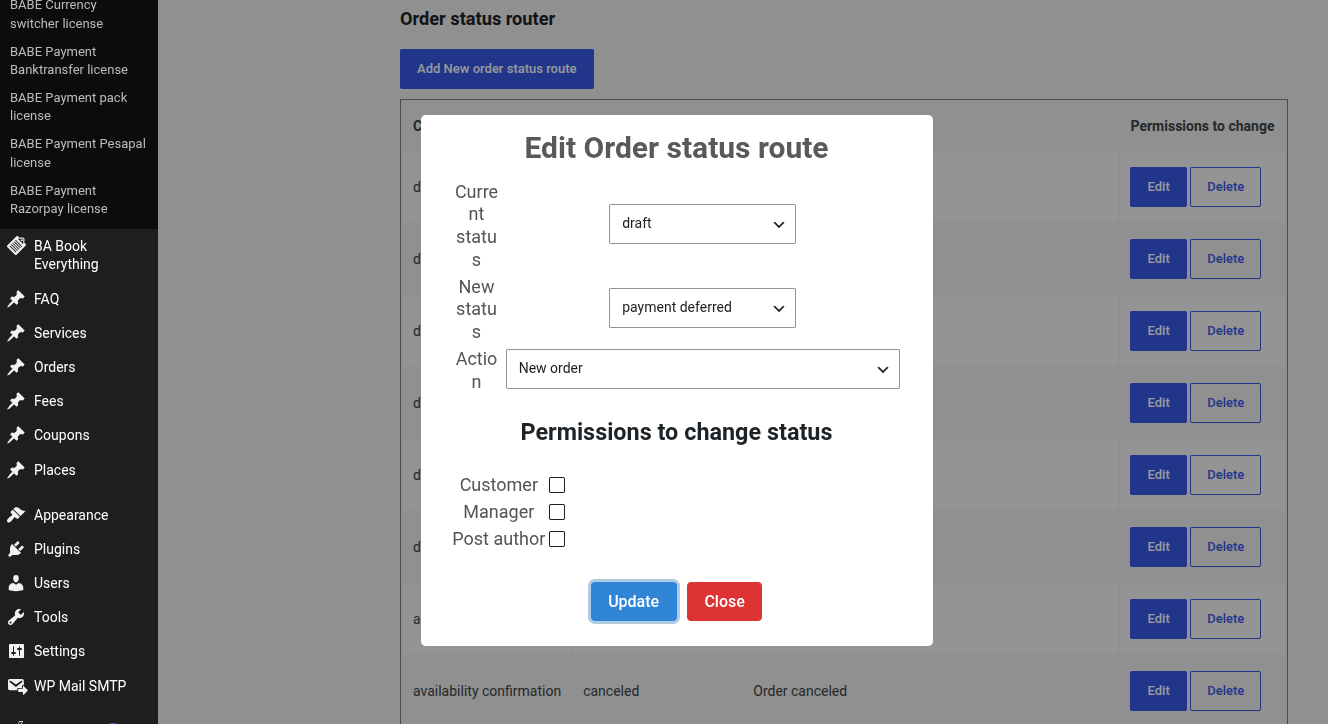
Sending e-mails is triggered by switching the order status during the booking process. You manage this in the BA Settings → Order admin menu.
- Under the Order actions section, each action is associated with a set of e-mails.
- Under the Order status router section, each action is mapped to specific order status changes.
Payment reminder e-mails
There is a special template, email_reminder_to_pay, used to remind the customer to pay. It is sent according to the options on this settings tab:
- Send the first reminder e-mail … hours before the booking starts (leave blank to skip it).
- Send the second reminder e-mail … hours before the booking starts (leave blank to skip it).
Resetting to defaults
To reset the order statuses, actions and routes to their defaults, check the Reset order statuses, actions and routes option and click the Save Changes button.