BABE Backoffice add-on
BABE Backoffice is a premium add-on for the BA Book Everything plugin. It adds management tools to the WordPress admin dashboard:
- PDF invoices
- Backend bookings (create orders manually from the admin)
- Editing and cancellation of orders
- Extra charge, full and partial refunds
- iCal synchronization (Airbnb, Booking.com, VRBO, Google Calendar, etc.)
- Export orders to
.xlsx - Sales report with charts, a breakdown table, CSV export and occupancy
- Backoffice availability calendar
- Order emails and order status router customizer
- Rewards (gift discount codes)
- Loyalty points
- Referral program
BABE Backoffice requires BA Book Everything 1.8.23 or higher and PHP 8.1 or higher.
The product is subject to a yearly license for support and automatic updates.
Installation
- Upload the
babe-backofficefolder to the/wp-content/plugins/directory. - Activate the BABE Backoffice plugin through the Plugins menu in WordPress.
License activation
To activate the license key on your site:
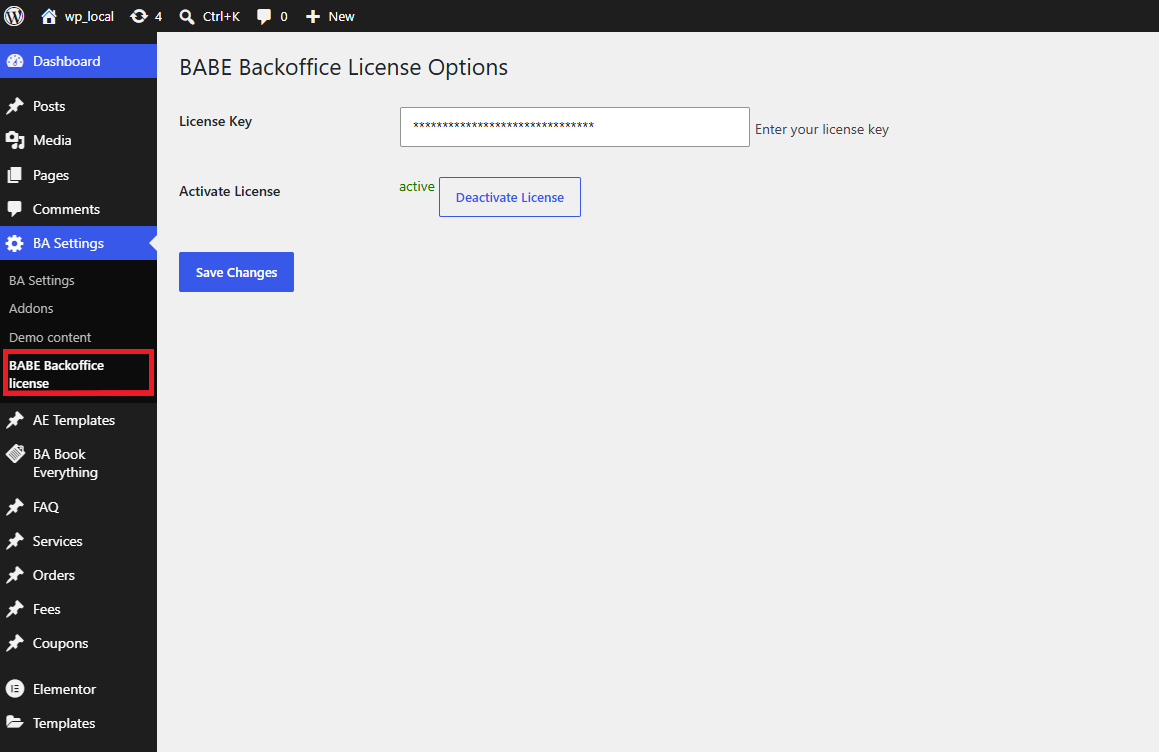
- Go to the BA Settings → BABE Backoffice license admin menu.
- Add the license key and press the Save changes button.
- Click the Activate license button.
After this the plugin can be updated from the Plugins admin menu like any other WordPress plugin.
After activation
Add your settings on the BA Settings page of the WP dashboard — set up the iCal options, the Cancellation policy page, and the rules for automatic full/partial refunds.
New tabs appear in the BA Settings admin menu, and a Backoffice Calendar sub-menu is added under your booking object menu. Configure the features you need:
- BA Settings → Editing and refund Orders — see Editing & refunding orders
- BA Settings → iCalendar — see iCal synchronization
- BA Settings → PDF Invoice — see PDF invoices
- BA Settings → Emails / Order — see Order emails, statuses & routes
- BA Settings → Rewards — see Rewards and Loyalty points
- BA Settings → Referral — see Referral program