iCal synchronization
The add-on can synchronize availability with external channels (Airbnb, Booking.com, VRBO, Google Calendar, etc.) using the iCal (.ics) format. It works in two directions: export your BA bookings as an iCal feed, and import external bookings into BA Book Everything.
iCal import works only for objects with the "night" booking period and the "object" booking mode. Export works for all types of booking items.
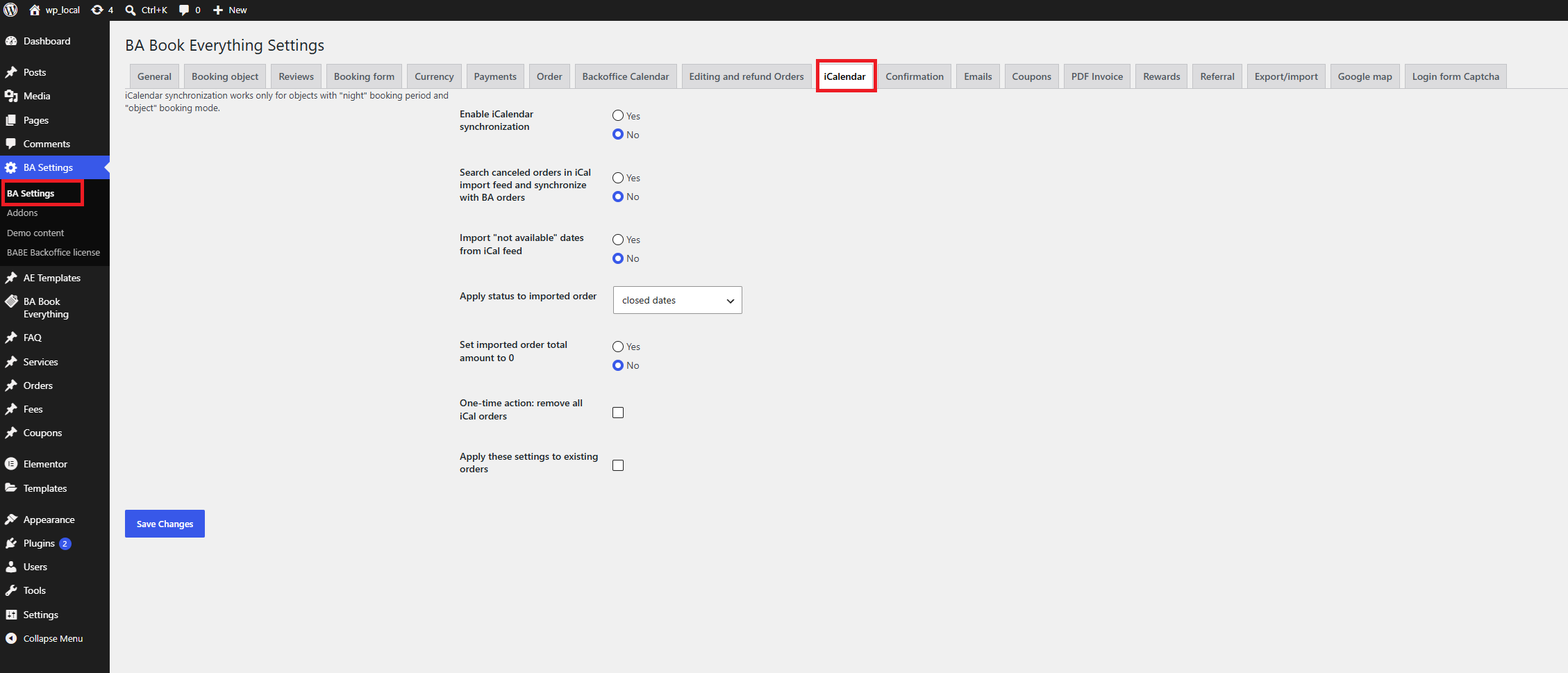
Settings are located in the BA Settings → iCalendar admin menu.
Enabling synchronization
In the BA Settings → iCalendar admin menu:
- Enable iCalendar synchronization — master switch.
- Search canceled orders in iCal import feed and synchronize with BA orders — use this if you manage booking cancellations through third-party services and want to sync them with bookings on your website.
- Import "not available" dates from iCal feed — use this if you manage your booking calendar (available dates) through third-party services.
- Apply status to imported order — you can specify any other order status for orders imported through iCal.
- Set imported order total amount to 0 — import as a block without a price.
- One-time action: remove all iCal orders — clean-up tool to delete all previously imported iCal orders.
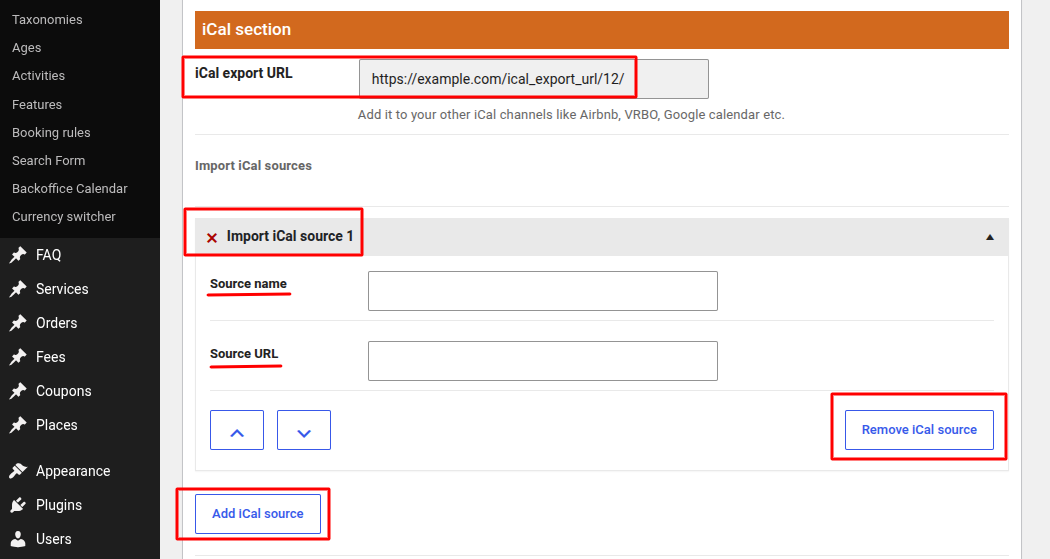
Once synchronization is enabled, a new iCal section appears on the booking item editing page, where you configure export and import per object.
Export
Each booking object exposes an iCal export URL. Use it to export your booking calendar to third-party services so they block the dates booked through your site.
Each channel manager has its own instructions for adding iCal sources. Follow your chosen channel manager's documentation for importing bookings, and specify the iCal export URL generated by our plugin as the source.
Import
Use the Import iCal source options in the booking item's iCal section to add import source URLs. The add-on reads each external feed and creates "not available" orders for the imported dates.
Each channel manager has its own instructions for exporting reservations to other services via iCal. Follow your chosen channel manager's documentation for exporting reservations, copy the export URL generated in that service, and specify it as the Import iCal source in the booking item settings.