Editing, cancellation, extra charge & refunds
In the BA Settings → Editing and refund Orders admin menu you can determine whether customers can edit/cancel their orders, and what refund and extra charge rules should be applied.
/wp-admin/admin.php?page=babe-settings
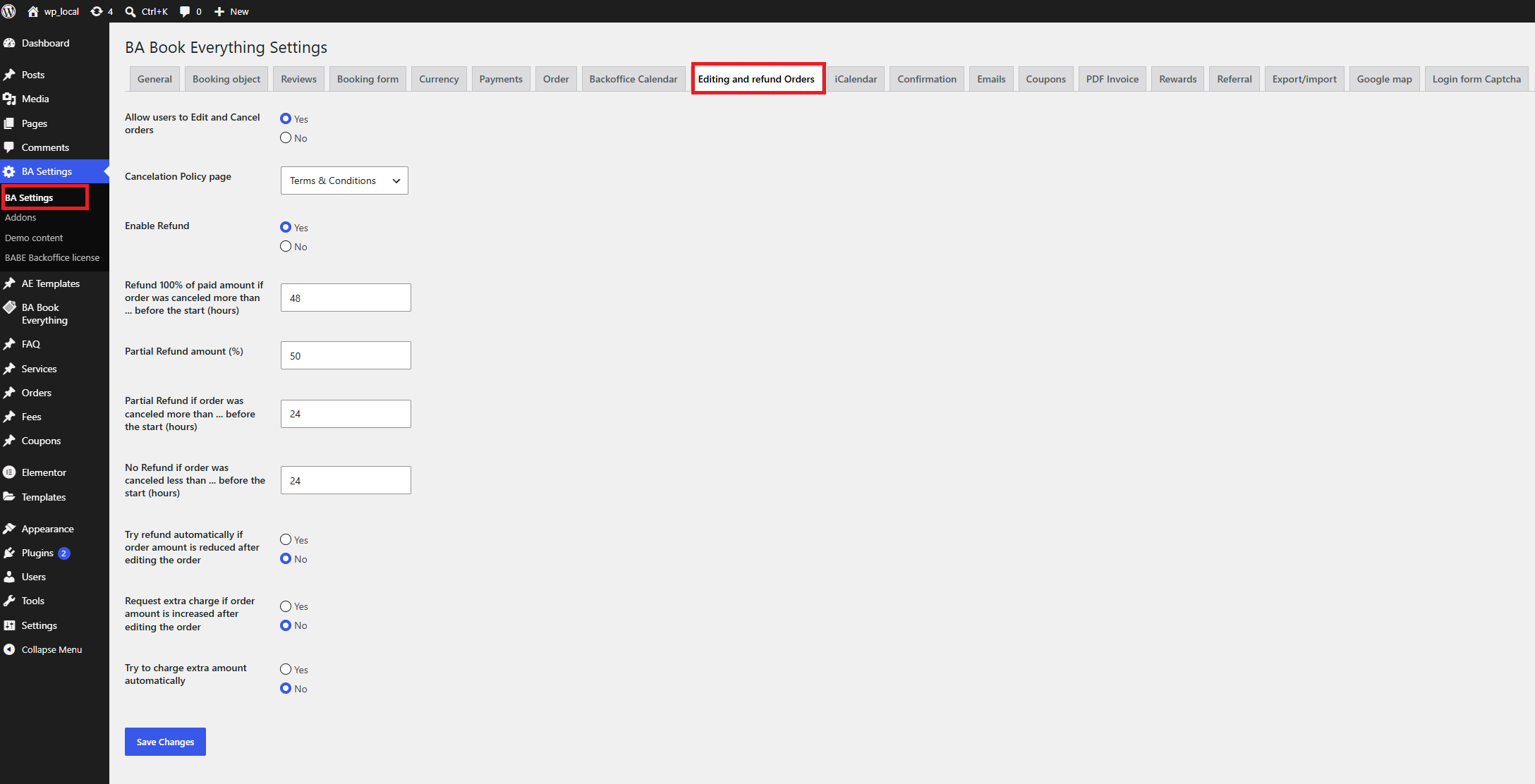
- Allow users to Edit and Cancel orders — select Yes to activate it
- Cancellation policy page — a page that describes your cancellation and refund terms to customers
- Enable Refund — select Yes to activate refund options for customers. If activated, please also specify the following options:
- Refund 100% of paid amount if order was canceled more than ... before the start (hours)
- Partial Refund amount (%)
- Partial Refund if order was canceled more than ... before the start (hours)
- No Refund if order was canceled less than ... before the start (hours)
- Try refund automatically if order amount is reduced after editing the order
- Request extra charge if order amount is increased after editing the order
- Try to charge extra amount automatically
warning
Automatic money transfer back to the customer depends on the payment gateway add-on you use. If the gateway does not support API refunds, the refund must be processed manually in your payment provider account