Creating bookings in the backend
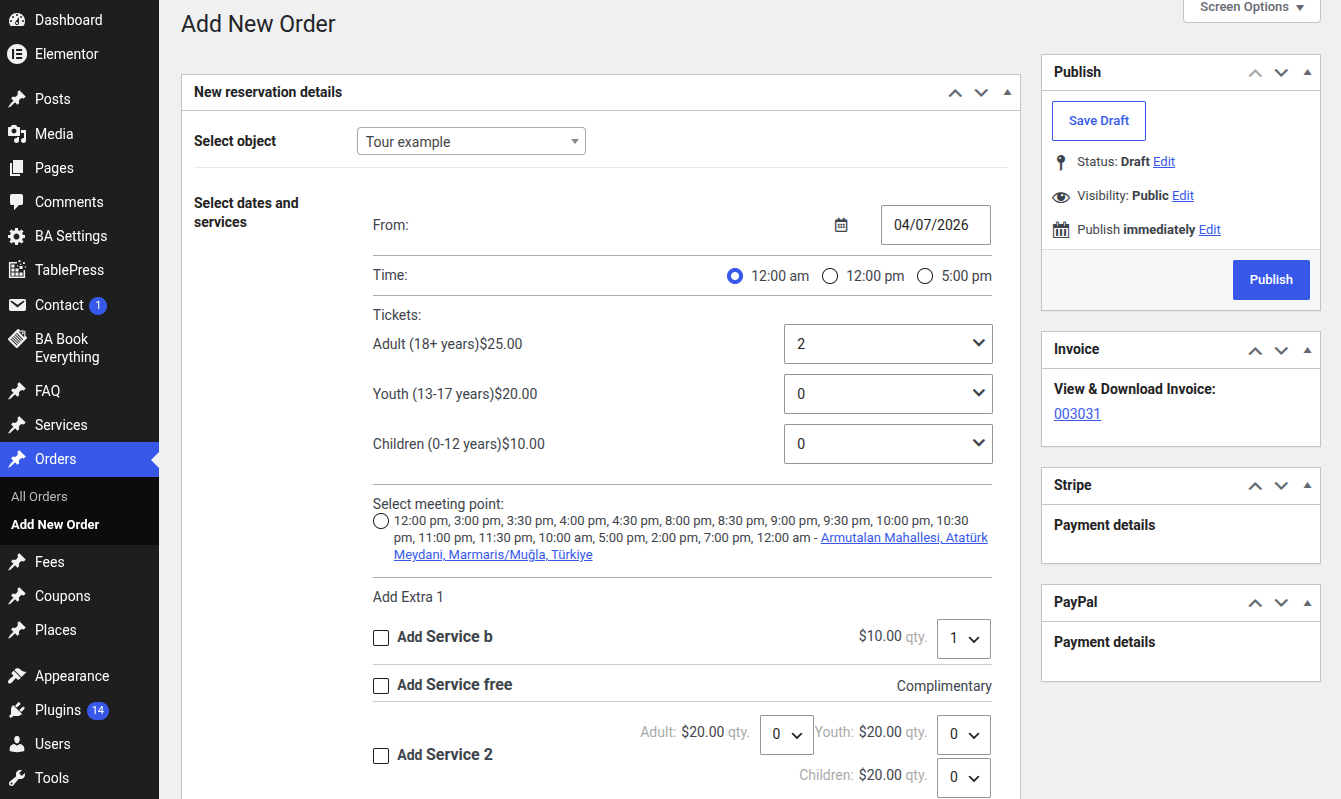
Site administrators can create a booking directly from the admin dashboard — for example, to register a reservation taken by phone or e-mail.
Bookings created in the backend behave exactly like front-end orders: they reserve the dates in the availability calendar, generate an order, and can be edited, charged and refunded.
How to create a backend booking
- Open the Orders admin menu and start a new order.
- Select the booking item and the booking period (dates / nights).
- Set the number of guests and any extra services.
- Enter the customer contact details (name, e-mail, phone).
- Choose the order status and save.
info
You can also edit any existing booking in the same way
/wp-admin/post-new.php?post_type=order
tip
The total amount is calculated automatically from the booking item prices and rules. However, you can adjust it manually after the order is created